
Referral Rewards
Configure your referral program — give/get model, tier-scaled values, conversion triggers, and how referrals work across wallet passes and URLs.
Angle's referral system rewards existing members with store credit when they refer new customers who make a purchase. Every enrolled customer gets a unique referral identity they can share via URL or wallet pass QR code.
Enabling Referrals
Referrals are configured per tier. Navigate to the tier's edit page (Membership → click the tier → scroll to Rewards) and click Enable next to "Referrals."
Configuration
| Setting | What It Controls |
|---|---|
| Member receives | Dollar amount the referring member gets (e.g., $10) |
| Referee receives | Dollar amount the new customer gets (e.g., $10) |
| Reward expiration | How long referral credit remains valid (specific days or no expiration) |
The referred customer receives their bonus as soon as they log in for the first time. The referring member only receives their reward after the referred customer places their first order.
Tier-Scaled Referrals
One of Angle's most powerful referral features is the ability to offer different referral values at each tier. Higher-tier members — typically your most passionate advocates — get more generous referral incentives.
Example structure:
| Tier | Member Receives | New Customer Receives |
|---|---|---|
| Entry | $10 | $10 |
| Mid | $25 | $15 |
| Top | $50 | $25 |
| Employee | $100 | $25 |
This approach rewards your best customers for being brand ambassadors while keeping the new customer incentive consistent enough to drive conversion.
How Customers Share Referrals
Every enrolled customer gets two sharing methods:
A personalized link the customer can share via text, email, or social media. When a new customer clicks the link:
- A new Shopify customer account is instantly created
- The new customer is automatically enrolled in the loyalty program
- Full attribution is recorded — who referred whom, when, and through what method
Where Referrals Appear
Once enabled, the referral offer can appear in two high-visibility locations. Both require setup — the thank you page block must be enabled in your post-purchase settings, and the account extension is added via the Shopify Theme Editor.
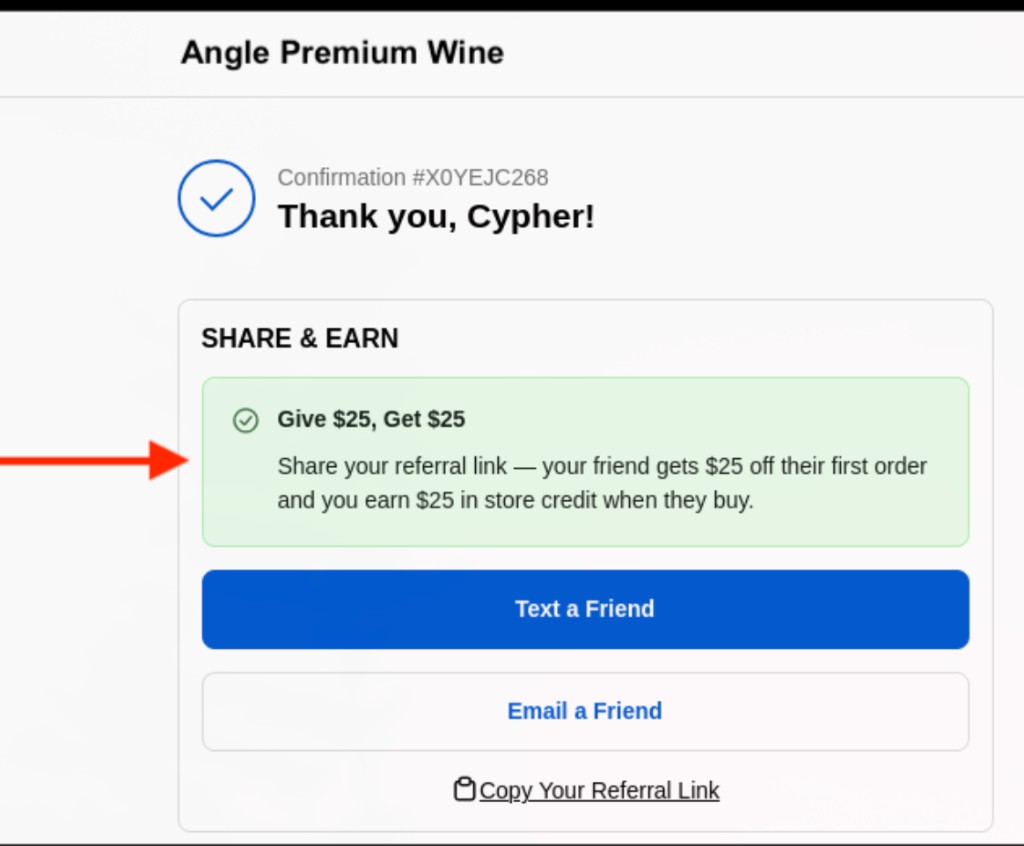
After enabling the Referral block on the Post Purchase — Thank You page, the Share & Earn block appears on the order confirmation page. This is one of the highest-engagement moments in the shopping journey — the customer just bought and feels great about the brand.
The block displays the give/get offer (e.g., "Give $25, Get $25"), along with buttons to text a friend, email a friend, or copy the referral link.
How It Works End to End
New customer clicks or scans
A new Shopify customer account is created and the new customer is enrolled in the loyalty program. The referred customer's bonus is applied immediately — they see it the first time they log in.
New customer makes their first purchase
The referring member's reward is triggered. Their store credit is applied only after the referred customer completes their first order.
Credit appears on both accounts
The referred customer already has their credit from sign-up. The referring member now sees their reward in their Shopify account and on their wallet pass balance.
Klaviyo notifies both parties
If Klaviyo is connected, the "Store Credit Earned" event fires for each party at the time they receive their credit — immediately for the referee, and after first purchase for the referrer.
Referral Tracking
Angle maintains full attribution for every referral:
- Which customer referred whom
- When the referral occurred
- Whether the referee converted (completed their first purchase)
- Total credit issued to both parties
- Referral source (QR code scan vs. URL click)
This data is stored in Shopify customer metafields including a Referred By field on the new customer's profile, and is available in Klaviyo for marketing automation.
Best Practices
- Scale referral values with tier level — your best customers are your best advocates; reward them accordingly
- Display the give/get offer prominently on your website and in emails — customers need to know the referral exists
- Set QR code alt text in the wallet pass editor to match the give/get values (e.g., "Give $10 ❤ Get $10")
- Include the referral link in your welcome Klaviyo flow so new members immediately know they can start referring